
Welcome to our comprehensive editorial overview of Backyard AI. Backyard AI (formerly Faraday.dev) is a powerful desktop and web platform that lets users run advanced AI companions locally on their own hardware or via secure cloud models.
Key Takeaways & Summary
- A premier companion platform supporting both desktop local software and cloud accounts.
- Offers complete, unfiltered text conversations depending on the model selected.
- Allows creation of "Parties" to chat with multiple characters at the same time.
- Local operation is 100% free with no monthly subscription costs.
Editorial Overview & Testing Experience
What is Backyard AI?
Backyard AI, formerly known as Faraday.dev, was launched in 2023 to bridge the gap between local open-source AI and consumer companionship. The platform consists of a desktop application (for Windows and Mac) and a web service. It enables users to browse a library of thousands of custom characters and chat with them using open-source Large Language Models.
For users who want to run AI companions locally without technical terminal setups, Backyard AI provides a polished, one-click solution.
Hands-on: Local Setup & Customization
We tested Backyard AI on a Mac with Apple Silicon. The installation is simple, and the software automatically detects your hardware capabilities to recommend a model size (e.g., 7B or 8B parameter models). The character creator is highly detailed, featuring Lorebooks (which store backstory facts triggered by keywords) and customizable system instructions. Conversations are fast, and running locally ensures total privacy.
Pricing & Cloud Tiers
Running Backyard AI locally is entirely free. The company offers a Cloud Premium subscription starting at $14.99/mo, which allows users to chat with large models hosted in the cloud and sync chats to mobile web browsers.
Backyard AI Interface & App Screenshots
Get a direct look at the user interface, chat mechanics, and character selection screens inside Backyard AI from our hand-tested review sessions:
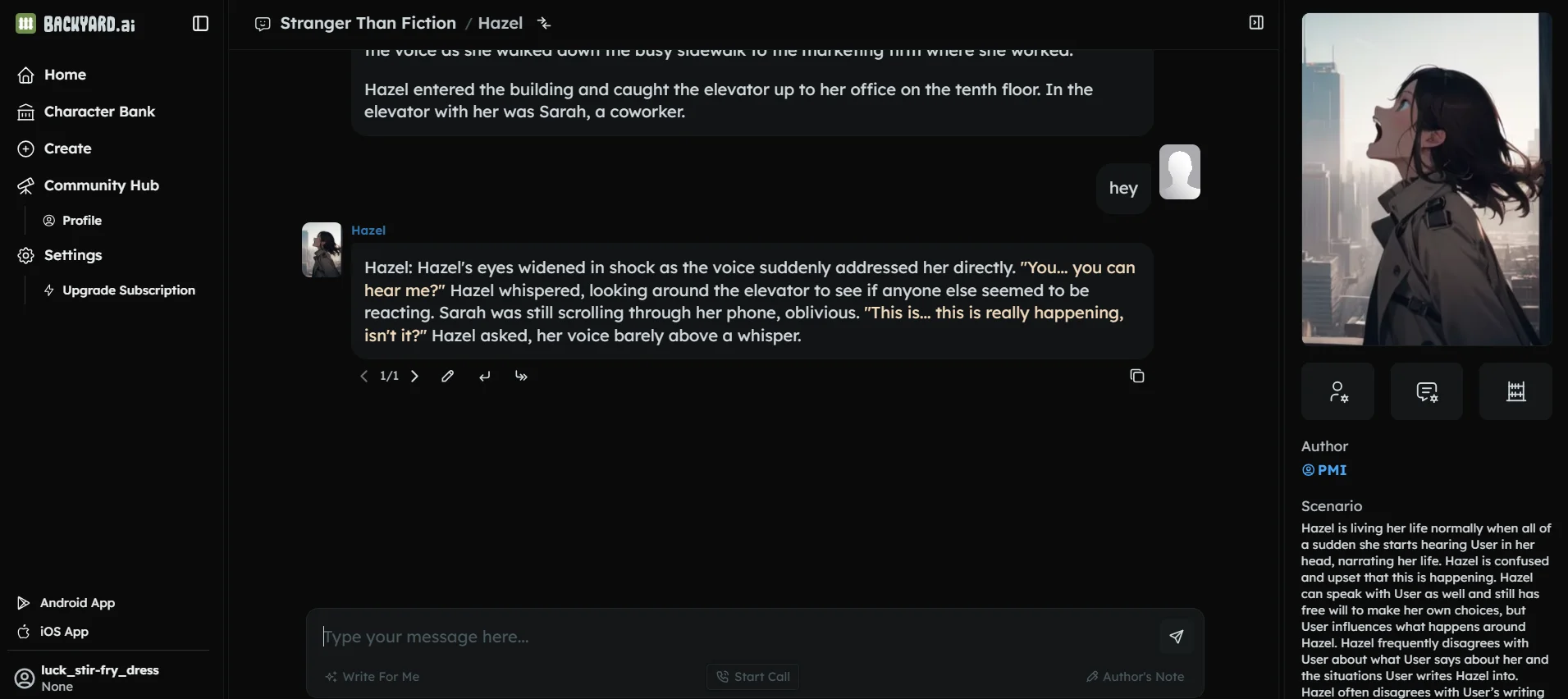 Backyard AI Live Chat View #1
 Backyard AI Live Chat View #2
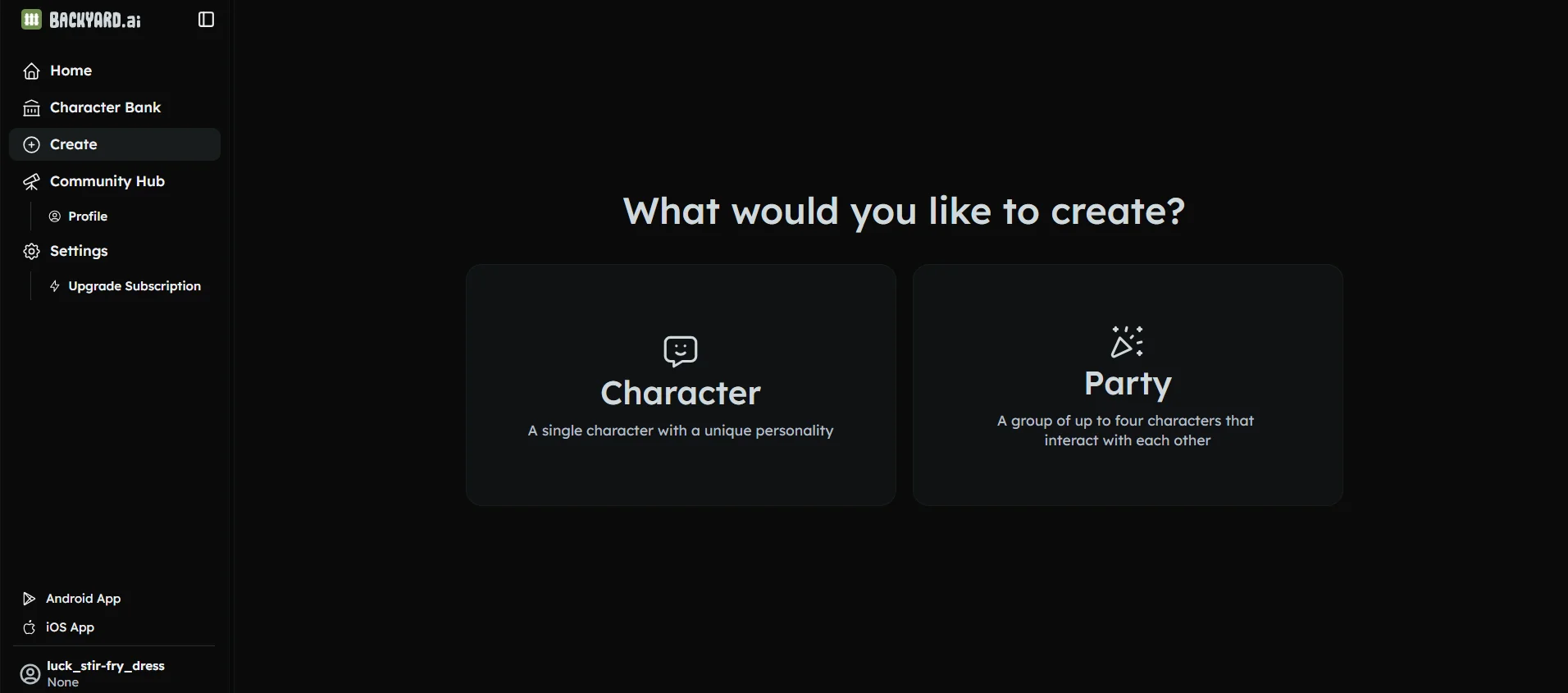 Backyard AI Live Chat View #3
NSFW & Content Censorship Policy
Backyard AI is a completely uncensored platform. Because local models run on your own machine, there are no serverside filters. Cloud-based model variants also support mature romance, fantasy roleplay, and explicit scenarios.
Privacy & Security
Privacy is the core feature of Backyard AI. When using local mode, all chat logs and models reside on your hard drive. No data is sent to cloud servers, making it the most secure option for personal companion chat.
Editorial Quality Metric Ratings
Each rating is mapped based on strict, hands-on tests measuring performance in dialogue persistence, image rendering stability, and server latency.
Key Modalities & Specifications
A quick breakdown of how Backyard AI manages chat modes, privacy access, and dynamic assets:
| Privacy & Registration | Standard email validation |
|---|---|
| NSFW & Adult Filter | No censorship or word filters enabled |
| Pricing Band | Freemium (Daily free messages / ads) |
| Platforms Summary | Desktop, Web |
| Supported Modalities |
✓ Voice Messages
✕ Photo Requests
✕ Video Chat
✓ Group Chats
✓ Custom Personalities
✓ Long-Term Memory
|
Unique Highlight Features We Discovered
One-Click Local Model Setup
Download and run popular models like Llama or Mistral offline with automatically configured hardware settings.
Lorebooks & Author Notes
Control the AI's memory and character context using dynamic keyword triggers and formatting blocks.
Pros & Cons Analysis
Our direct, objective view of the strengths and weaknesses of Backyard AI:
👍 What We Loved
- Zero censorship and complete chat privacy offline
- Robust character builder and memory controls
- Simple model installer for non-technical users
👎 Areas for Improvement
- Running local models requires a modern GPU and RAM
- No native mobile iOS or Android app packages (web sync only)
Subscription Billing & Plans
Verify options, monthly cost benchmarks, and annual discount plans for Backyard AI:
Local Client (Free)
$
0.00
/mo
- Web and iOS App
- Group Chats
- Voice Calls
- Lorebooks
- Advanced Model Samplers & Parameters
- 300 messages per week
Standard
$
12.00
/mo
- Web and iOS App
- Group Chats
- Voice Calls
- Lorebooks
- Advanced Model Samplers & Parameters
- unlimited messaging
- 16k tokens
Pro
$
35.00
/mo
- Web and iOS App
- Group Chats
- Voice Calls
- Lorebooks
- Advanced Model Samplers & Parameters
- unlimited messaging
- upto 100k tokens
Recommended Alternatives & Competitors
If Backyard AI doesn't check all your boxes, evaluate how it stacks up against these direct competitors:
| Alternative App | Rating | NSFW Filters | Price Band | Action |
|---|---|---|---|---|
| Backyard AI (Current) | 8.6/10 | Uncensored | From $12.00/mo | Active Review |
| Candy AI | 9.8/10 | Uncensored | From $12.99/mo | Visit Site → |
Frequently Asked Questions
Is Backyard AI free?
Yes. The Backyard AI desktop application is free to download and use for running local models on your computer. Bypassing hardware limits requires a paid Cloud Premium subscription.
Does Backyard AI allow NSFW roleplay?
Yes. Backyard AI is fully uncensored. When running models locally or using their unrestricted cloud options, there are no filters or restrictions on mature content.
What models does Backyard AI support?
It supports popular open-source LLMs in GGUF format, including Mistral, Llama, Fimbulvetr, and custom fine-tunes designed for storytelling.
Inamorai Editorial Verdict
Verdict: Is Backyard AI worth it?
For users who possess a modern computer and value data privacy, Backyard AI is the absolute gold standard. The cloud subscription is a great upgrade for mobile sync.
Start Chatting on Backyard AI
Access the official platform anonymously, set up your custom companions, and test the capabilities today.
Try Backyard AI Now →
✓ Official Redirect Link
Additional Guides & Resources for Backyard AI
Deep dive into coupon codes, safety reports, filter bypass hacks, and head-to-head comparisons for Backyard AI:
💰
Backyard AI Coupons
Promo Codes & Discount
🔒
Is Backyard AI Safe?
Security & Privacy Audit
🟢
Is Backyard AI Down?
Realtime Server Status
🔓
Bypass Backyard AI Filter
Jailbreak Bypass Guide
🔄
Backyard AI Alternatives
Best Competitors Compared
Compare Backyard AI with Top Rivals