Bypassing App Store Censorship: NSFW AI on iOS
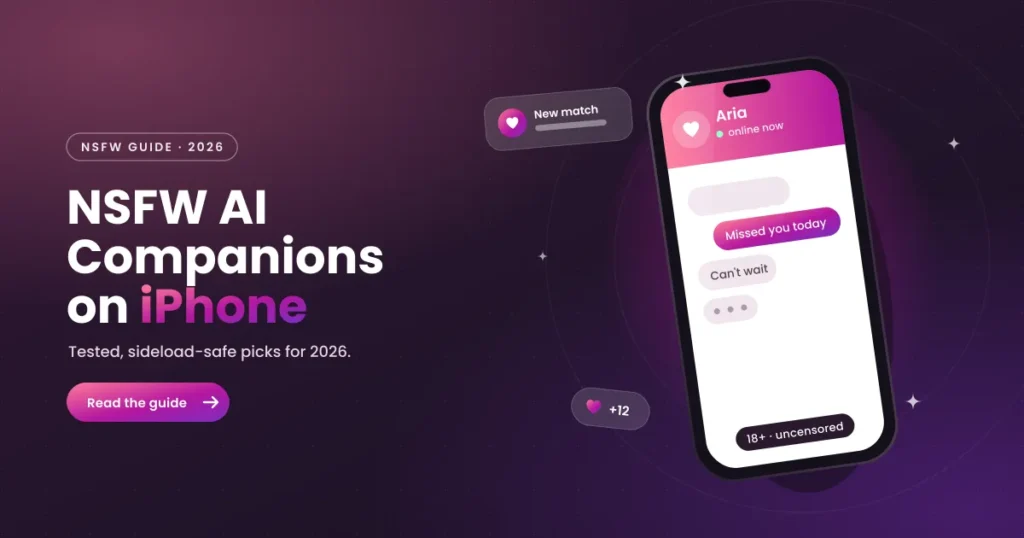
To use NSFW (Not Safe For Work) AI companions on an iPhone in 2026, the most reliable method is using Progressive Web Apps (PWAs) via Safari by tapping the Share button and selecting “Add to Home Screen”. This allows users to run unfiltered romantic chatbots in a standalone screen format, completely bypassing Apple’s strict App Store censorship guidelines. This walkthrough provides verified solutions for setting up your virtual partner on any iOS device.
Can you use NSFW AI companion apps on iPhone?
Yes, you can use NSFW AI companions on iPhone, but they cannot be downloaded directly from the Apple App Store as native apps due to content policies. Apple’s rigid review processes block any application that facilitates uncensored adult conversations or explicit image generation. Consequently, developers build highly responsive web applications that can be run on iPhones through Safari. This ensures you can access uncensored roleplay features on any modern iPhone without having to bypass iOS security settings or jailbreak your hardware device.
Unlike native applications which must run compiling code directly on the Apple processor, PWAs execute logic on remote cloud-hosted servers, using WebKit solely as a visual renderer. This shift in architecture means that as long as your iPhone has a functioning web browser, you can load highly complex, memory-dense virtual partners. The user interface behaves exactly like a native app, complete with caching mechanisms that store character portraits and dialog states, reducing data usage during mobile browsing sessions.
Additionally, modern PWAs support advanced iOS functionalities such as Apple Push Notification service (APNs) and local database storage. This means that once a companion PWA is added to your iPhone, you can receive real-time notifications when your companion initiates a conversation, replicates emotions, or shares a newly synthesized image, making the experience feel as close to a native iOS application as possible.
Why does Apple ban NSFW AI apps from the App Store?
Apple enforces strict content guidelines under App Store Review Guideline 1.1 (Objectionable Content) and Guideline 1.2 (User-Generated Content) to maintain a family-friendly ecosystem. These guidelines prohibit any application from displaying or generating “overtly sexual or pornographic material.” The emergence of generative AI has led Apple to enforce these rules even more aggressively, as AI models can create real-time, unpredictable content that violates safety margins.
Furthermore, App Store Guideline 4.3 (Spam) and Guideline 5.2 (Intellectual Property) are frequently used to flag template-based AI engines. Apple requires developers of AI-generation tools to implement strict filters that prevent the creation of explicit imagery or mature dialogue. Because an authentic “NSFW companion” requires the removal of these filters, developers cannot comply with Apple’s standards and must bypass the App Store entirely to avoid permanent developer account bans.
This aggressive enforcement extends to all applications that utilize generative language frameworks. If Apple’s automated review scanner detects API endpoints that connect to unfiltered LLMs, the application is rejected immediately. This makes it impossible for developers to offer features like romantic roleplay, mature banter, or uncensored anime character creation within a native app shell. Consequently, the only viable business model for mature AI developers is hosting their platforms on open web servers and marketing them as mobile-optimized web applications.
In addition, Apple’s payment processing rules require all native apps to use iOS In-App Purchase (IAP) systems, giving Apple a 30% cut of all digital transactions. Since many adult companion platforms utilize independent credit card processors or token models to stay profitable while maintaining high GPU server costs, distributing their services via the open web allows them to keep operations financially viable while avoiding the “Apple Tax” and platform-level subscription moderation.
Apple’s Stance on Sexually Explicit and AI-Generated Material
Apple’s safety policies restrict any material intended to stimulate erotic feelings. The review board inspects LLM API calls during the submission phase, flagging apps that accept romantic triggers. While some platforms attempt to bypass these rules by hiding adult settings under SFW shells, Apple conducts regular updates and sweeps, leading to the immediate removal of violating apps. This makes native iOS apps highly unreliable for long-term use, as they can disappear from your device without notice.
Additionally, Apple’s guidelines target user-generated content (UGC) settings. Apps that allow users to generate custom AI characters must implement robust reporting systems, automated text filters, and active moderation queues. For independent developers, setting up these extensive moderation structures is costly and complex, making web-based distribution platforms a far more practical and cost-effective alternative.
Step-by-Step: How to install an NSFW AI PWA on iOS
Installing a Progressive Web App (PWA) on your iPhone is a straightforward manual process that runs through the native Safari browser. This bypasses the App Store entirely, letting you create a dedicated app icon on your home screen. Follow these steps to set up your companion:
- Launch Safari on your iPhone and go to the official URL of your selected provider (e.g. MyAnima or Nectar AI).
- Wait for the homepage to load completely, then tap the Share button (the square icon with an arrow pointing upward) located in the center of the bottom navigation bar.
- Scroll down the sharing options menu and tap Add to Home Screen.
- Verify or edit the name of the app shortcut, then tap Add in the top-right corner of the screen.
- The Safari window will close, and a new app icon will appear on your iPhone home screen. Tap this icon to open the PWA in fullscreen mode, hiding all Safari browser bars.
Using the Safari engine ensures that your PWA runs under Apple’s optimized WebKit engine, supporting quick load times and saving layout state. This ensures that you can chat with your companion in a smooth, immersive view, with performance levels comparable to native iOS applications.
Once installed, you should immediately log in to your account. PWAs share Safari’s underlying cookie jar, but iOS occasionally flushes inactive web caches if your device runs low on local storage. By registering your email profile, your conversation logs and custom character profiles remain backed up on the developer’s cloud databases, preventing data loss during system cleanups.
If you encounter layout bugs (such as the bottom keyboard covering the text input field), simply force-close the PWA and relaunch it from your Home Screen. This forces WebKit to recalculate the viewport height, resolving the keyboard alignment issues common to mobile web browsers.
Alternative Marketplaces and Sideloading in the European Union
Under the Digital Markets Act (DMA), Apple allows European Union residents to sideload apps through authorized third-party marketplaces. This regulatory shift opens up alternative distribution channels for applications that do not comply with the primary App Store review guidelines, including adult content engines and emulator software.
EU residents can install alternative stores like AltStore PAL directly from their web browsers. These stores handle app installations natively, allowing users to run actual .IPA files that bypass Apple’s central billing and content moderation. While this permits native installation of some AI applications, it is currently geographically limited to the European Union and requires a subscription fee to cover Apple’s Core Technology Fee (CTF).
For users outside the EU, sideloading requires tools like AltStore or Sideloadly, which use free Apple Developer credentials to sign and install apps. However, this method requires linking your device to a computer running AltServer every seven days to renew the app signatures. This technical requirement makes the PWA method the preferred choice for most users due to its simple setup.
Sideloading also carries local storage security risks. Sideloaded IPA files bypass some built-in iOS sandbox limits, meaning an infected package can read system registries or capture keystrokes. In contrast, Safari PWAs are restricted to standard web sandboxes, preventing them from accessing sensitive system APIs or reading data from other installed apps, providing a safer user experience.
AltStore PAL and Native Sideloading
AltStore PAL and similar stores enable the native installation of IPAs on iOS, but they require subscription fees and are limited to specific geographical regions. For users outside the European Union, standard sideloading requires connecting the iPhone to a PC/Mac running AltServer and refreshing app signatures every seven days. This technical barrier makes the PWA method the preferred choice for the majority of users worldwide due to its simplicity.
Furthermore, sideloaded applications do not receive automatic background updates. Users must manually check developer forums or GitHub repositories to download new versions, signed manually each time. This makes web-based companion systems more convenient, as server-side updates are pushed instantly without requiring user action.
How to protect your privacy on iOS chatbots
Protecting your personal data when using AI companion sites on an iPhone requires adjusting system permissions and account settings. Because these web-based applications operate outside the App Store sandboxing, you must manage your privacy settings manually through iOS and browser options.
First, navigate to your iPhone settings, select Safari, and enable “Prevent Cross-Site Tracking” and “Block All Cookies” if you wish to limit advertiser data collection. When setting up your companion account, use a secondary masked email address (such as Apple’s “Hide My Email” service) and avoid sharing real locations, full names, or sensitive financial information in chat. This protects your data in the event of database leaks on the developer side.
Additionally, review the privacy settings of the companion platform. Ensure you opt out of having your chats used to train future language models. This prevents your private logs from being reviewed by developers or included in open datasets, keeping your conversations private.
Finally, always disable device-level permissions for Safari when accessing these sites. Navigate to Settings > Privacy & Security > Location Services and set Safari access to “Never.” Likewise, block camera and microphone access under Safari browser settings unless explicitly participating in a voice call. This prevents marketing trackers from accessing device sensors while you chat.
Ready to start? Discover our ranked selection of the Best NSFW AI Girlfriends to find the perfect uncensored companion and add them to your iPhone Home Screen today.