Technical Intimacy: Local Computing vs. Remote Cloud Hosting
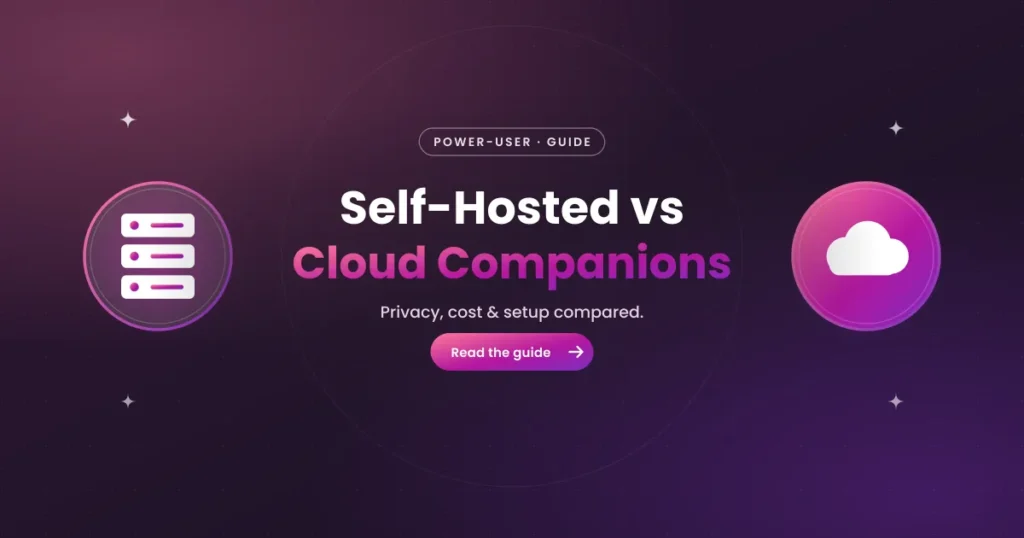
A self-hosted AI companion runs locally on your own computer’s GPU using open-source software, whereas a cloud AI companion processes interactions on remote servers managed by commercial developers. Choosing between a self hosted vs cloud ai companion depends on whether you prioritize absolute data privacy, offline access, and zero censorship, or prefer convenience, high-end models, and zero hardware requirements. This guide covers the hardware requirements, local setup steps, and cost comparisons of both architectures.
What is the difference between local and cloud-based AI companions?
The primary difference lies in data routing and compute execution. A cloud-based companion is a web application where your text inputs are sent to remote servers, processed by the developer’s language model, and returned in your browser. This requires an internet connection and relies on the developer’s servers remaining online. A local companion runs entirely on your computer, meaning your chats are processed and stored on your hard drive, allowing for offline access.
This difference impacts privacy and censorship. Cloud developers use safety filters to restrict explicit content, and they log conversations on their databases. A local companion is completely uncensored because you choose which open-source model to run, and your conversations remain private. If you value data security, a self-hosted setup is the preferred choice.
However, cloud services support larger language models than those run on home computers. Cloud providers connect to massive server clusters equipped with specialized enterprise GPUs (like NVIDIA H100s), running models with hundreds of billions of parameters. These models have better reasoning abilities than smaller local models, making cloud conversations feel more realistic.
Advantages and drawbacks of Cloud AI companion services
Cloud AI companion services are popular because they offer convenience. There is no software to install or configure; you simply open a web browser or install a mobile app, register an account, and start chatting. Because calculations run on remote servers, you can access the companion on any device—including older laptops, tablets, and budget smartphones—without affecting battery life or generating heat.
Additionally, cloud platforms support multimodal features like voice notes, interactive calls, and real-time image generation. These features require significant compute power, which is managed by the developer’s servers. This provides an engaging experience without requiring you to buy expensive graphics cards.
However, cloud services require ongoing subscription fees, typically starting at $9.99 to $19.99 per month. If the developer raises prices or shuts down, your access is lost. Additionally, independent audits show that companion apps collect extensive user data, reserving the right to share account metadata with advertising networks. This data harvesting is a major privacy concern for users who share intimate details.
The Power of Local AI: Full Privacy, Zero Censorship, One-time cost
For users seeking absolute privacy and control, self-hosted AI companions offer a powerful alternative. Because the Large Language Model (LLM) runs locally on your own computer, your chat logs, custom character templates, and personal details are stored on your local disk. No data is sent to external servers, protecting you from database breaches and tracking scripts.
Another benefit is complete freedom from content filters. Open-source models (like Llama-3 or Mistral) can be downloaded without safety filters, allowing you to engage in any roleplay scenario without system-level moderation. There are no automated classifiers blocking inputs, giving you complete freedom in your chats.
Finally, self-hosted setups avoid recurring subscription fees. Open-source software and models are free to download, meaning you avoid monthly payments. While you must purchase the necessary hardware, this one-time cost can be more cost-effective if you plan to use the app for over a year, compared to paying recurring monthly fees.
Hardware Requirements to Run a Local AI Companion
To run a local AI companion, you need a computer with a dedicated graphics card (GPU). The graphics card is the most important component because language models require fast memory access to calculate responses in real-time. The amount of Video RAM (VRAM) on your GPU determines the size of the model you can run:
- 8GB VRAM: The minimum recommended to run smaller 7B or 8B parameter models. These models are fast, but their reasoning and memory capabilities are limited.
- 12GB – 16GB VRAM: Allows running medium 13B or 14B parameter models. These models offer a better balance of reasoning ability and speed.
- 24GB VRAM: The standard for running larger 30B to 70B parameter models. These models possess deep reasoning abilities, but require high-end cards like the NVIDIA RTX 3090 or 4090.
If your computer lacks a dedicated GPU, you can still run models using your CPU and system RAM, but response times will be slow. For a smooth conversation, a dedicated GPU is essential.
Step-by-Step Guide: How to Setup a Local AI Companion
Setting up a self-hosted companion is a straightforward process that runs through open-source software. Follow these steps to set up a local chatbot on your computer:
- Download and install a local LLM runner such as LM Studio or KoboldCPP from their official sites. These tools manage model downloads and run the calculations on your GPU.
- Launch the software and search the model directory for an open-source model. For romantic roleplay, models like Llama-3-8B-Instruct or MythoMax-L2-13B are popular options.
- Download the model file (in GGUF format). Choose a quantization size (e.g. Q4_K_M or Q5_K_M) that fits within your GPU’s VRAM.
- Load the model into memory. In LM Studio, click the model selection dropdown at the top of the screen and select your downloaded file.
- Install a frontend interface such as SillyTavern. SillyTavern provides a responsive chat interface, lets you import custom character cards, and connects to LM Studio via a local API link.
- Open SillyTavern in your web browser, connect it to your local API endpoint (usually http://localhost:1234), import your companion card, and start chatting.
Using this setup keeps your conversations private and local, giving you complete control over your virtual relationship.
Comparing Open-Source LLMs for Romantic Roleplay
Not all open-source models are suitable for romantic roleplay. Some models are trained on technical text and output clinical responses, while others have been fine-tuned on creative writing and relationship dialogues. Choosing the right model is essential for a realistic conversation:
| Model Name | Recommended VRAM | Roleplay Strength | Safety Censorship |
|---|---|---|---|
| Llama-3-8B-Instruct (Uncensored) | 6GB – 8GB | High speed, good formatting, compact. | None (when using uncensored fine-tunes). |
| MythoMax-L2-13B | 10GB – 12GB | Excellent memory retention, creative prose. | None; designed for creative roleplay. |
| Mistral-7B-Instruct-v0.2 | 6GB – 8GB | High logic, matches prompts accurately. | Light filters (can be bypassed with system prompts). |
For details on alternative messaging-based interfaces, read our guide on AI Companions on Telegram or check our audit of Are AI Companion Apps Safe? to compare security and data encryption standards before subscribing to cloud platforms.